More people are turning to local AI, not just for convenience—but for control. Running models on your machine means faster results, better privacy, and full ownership of your work. Ollama makes this easier than ever. Instead of wrestling with Docker, GPU configs, or complex dependencies, you just install it, pull a model, and start working.
It wraps powerful language models in a lightweight, user-friendly setup that works across macOS and Linux. This guide explores how to run LLM models locally with Ollama, why local AI matters, and what’s possible when you take large language models into your own hands.
Ollama’s biggest strength is its simplicity. There’s no complex setup, no deep dive into machine learning, and no tangled dependencies. It’s built to get you from installation to inference in minutes. Just download the app, which is available for macOS and Linux, and then launch the terminal. Running a model like LLaMA 2 is as easy as typing ollama run llama2. Ollama handles the model download, sets up resources, and opens an interface—letting you start working with a local LLM almost instantly.
The entire system is built around the idea of containerized models. Each one comes packaged with everything it needs—model weights, configuration, and runtime dependencies. You’re not dealing with separate installs, broken paths, or environment conflicts. Switching between models is as simple as typing a new command: ollama run mistral, for example, pulls the new model and gets it running. There’s no cloud delay or API limit in sight.
Even more impressive is Ollama’s optimization. It adapts to your hardware, works with CPU or GPU, and doesn't choke your system. If you've ever wanted to test LLMs without wrestling with setup, Ollama gives you a clean, fast, and headache-free way in.
Several tools like LM Studio, GPT4All, and Hugging Face Transformers support local LLMs, but Ollama stands out with its clean, structured approach. Unlike others that depend on scattered files or global Python setups, Ollama uses self-contained model containers. Each model includes all its dependencies, avoiding conflicts and simplifying management. This method keeps your environment tidy and makes switching between models smooth without the usual configuration headaches that come with traditional setups.
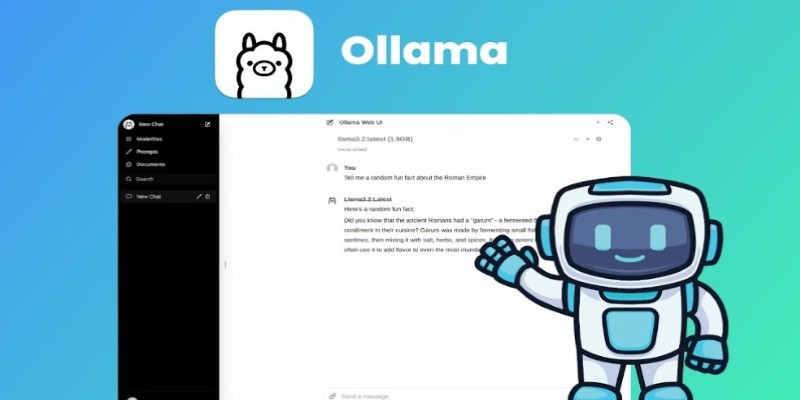
Ollama also strikes a smart balance between simplicity and flexibility. It's designed to be beginner-friendly, but power users aren't left behind. Developers can easily integrate Ollama into scripts and workflows, send data in and out via standard input/output, or build custom local tools—all without needing cloud access. This makes it a practical option for personal projects, automation, and even prototyping larger applications.
Its clean and consistent command system—like ollama pull, ollama run, and ollama list—removes unnecessary complexity. You don’t need to memorize obscure flags or jump between environments. That streamlined interface reduces friction and makes switching between models fast and easy.
Memory management is also more thoughtful. Ollama uses your machine’s resources intelligently, making it suitable for standard laptops, not just powerful desktops.
As model support grows—from LLaMA 2 to Mistral and custom fine-tunes—Ollama’s ecosystem keeps expanding, offering real flexibility with a local-first mindset.
Once Ollama is set up, most users start by trying out basic chat interactions. However, the real strength of running LLM models locally with Ollama is that it shows up when you move beyond the basics. It's more than just chatting with a model—it's building tools that work offline, stay private, and operate with zero friction.
Take document processing, for example. You can build a local assistant that reads through PDFs and creates summaries or highlights key points. With a simple script, you feed the content into Ollama, get structured outputs, and save them—all without touching the cloud. That means no risk of data leaks and no cost per use.
Customer support systems are another strong use case. Developers can experiment with prompts, simulate multi-turn conversations, and tweak dialogue flows—all locally. There’s no rate limiting, no token-based pricing, and no waiting on server responses.
Ollama also excels in developer-focused tasks. Need to generate code, review logic, or explain functions? Local models can do it with zero external dependencies. This is especially useful in restricted environments or internal infrastructure where privacy is non-negotiable.
You can also batch-process content—logs, emails, reports—on demand. With Ollama, these models can be slotted into automation pipelines for repetitive tasks.
Even creatives can benefit. Use it for story generation, scripting, or journaling—anything that benefits from a responsive and private writing assistant.
Running LLM models locally with Ollama shifts AI from being a service you use to a tool you own. That shift changes everything.
Artificial intelligence is shifting toward local solutions as users demand more privacy, speed, and control. Ollama stands out by enabling large language models to run directly on personal devices. This hands-on approach removes reliance on cloud services and places power back in the user’s hands. It’s a practical step toward more secure, efficient, and personalized AI interactions.
Ollama removes the need for cloud services, API fees, or external data sharing. Everything runs locally, allowing you to test, build, and deploy with full control. It's ideal for developers, researchers, and creators exploring AI on their terms.
Looking ahead, expect Ollama to support more models and broader integration into offline workflows. If you’ve wondered how to run LLM models locally with Ollama, now is the time to explore. It’s local AI done right—simple, flexible, and entirely yours.
Running AI locally isn’t just about skipping the cloud—it's about gaining control, speed, and privacy on your terms. Ollama makes this shift easy, offering a lightweight yet powerful way to run LLMs without hassle. Whether you're a developer, researcher, or enthusiast, it opens new possibilities without tying you to external services. Once you experience what it's like to run models locally with Ollama, you might never go back. It's AI on your machine, working for you—simple as that.

Master the Alation Agentic Platform with the API Agent SDK capabilities, knowing the advantages and projected impact.
Every aspect of OpenAI's GPT-4.5, which presents better conversational performance alongside improved emotional awareness abilities and enhanced programming support and content creation features
YouTube channels to learn SQL, The Net Ninja, The SQL Guy
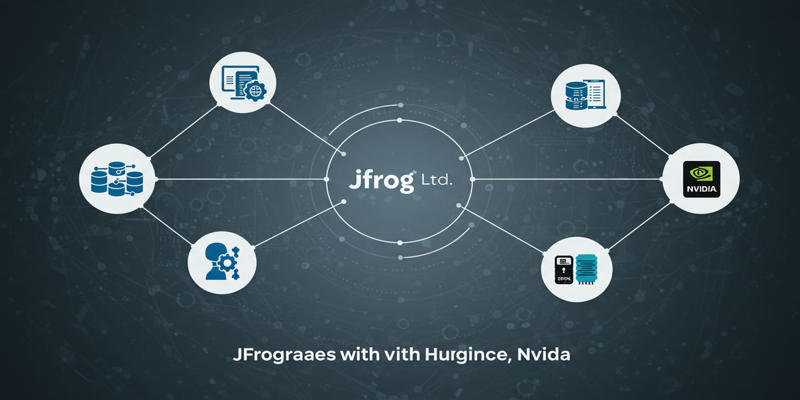
JFrog launches JFrog ML through the combination of Hugging Face and Nvidia, creating a revolutionary MLOps platform for unifying AI development with DevSecOps practices to secure and scale machine learning delivery.

How to set upstream branch in Git to connect your local and remote branches. Simplify your push and pull commands with a clear, step-by-step guide
Discover how Replit Agent simplifies coding, testing, and deployment using natural language in an all-in-one platform.
Learn to excel at prompt engineering through 12 valuable practises and proven tips

Master how to use DALL-E 3 API for image generation with this detailed guide. Learn how to set up, prompt, and integrate OpenAI’s DALL-E 3 into your creative projects
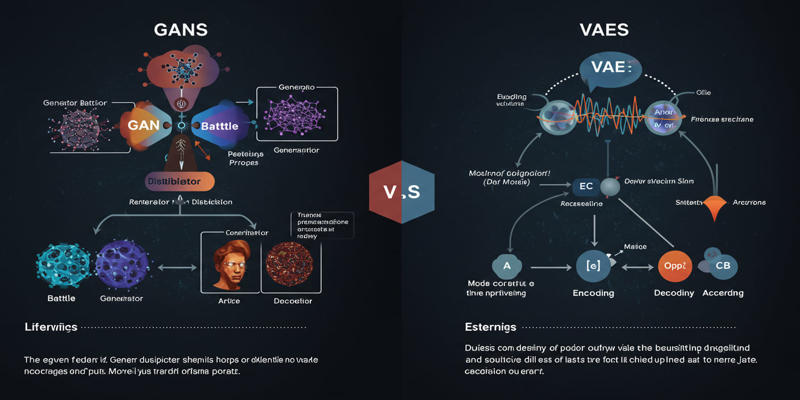
Study the key distinctions that exist between GANs and VAEs, which represent two main generative AI models.

Discover how autonomous robots can boost enterprise efficiency through logistics, automation, and smart workplace solutions

Drive more traffic with ChatGPT's backend keyword strategies by uncovering long-tail opportunities, enhancing content structure, and boosting search intent alignment for sustainable organic growth
How AI’s environmental impact is shaping our world. Learn about the carbon footprint of AI systems, the role of data centers, and how to move toward sustainable AI practices