Imagine a world where your application can understand language as fluently as a human—and even translate it into another language instantly. Sounds futuristic? Thanks to LangChain and its elegant LangChain Expression Language (LCEL), it's entirely possible today.
This post will explore how to build a simple, modular LLM (Large Language Model) application using LCEL—specifically for translating English to Japanese. It isn’t just a translation app; it’s a blueprint for any AI workflow involving language models. If you're curious about how to build your first LLM-powered app using LCEL, you're in the right place.
LangChain Expression Language (LCEL) is the core innovation that makes our LLM app both simple and powerful. Unlike traditional procedural code, LCEL uses a pipeline approach where each component hands off its result to the next using the | (pipe) operator.
Here’s how LCEL improves development:
This approach is especially powerful in LLM applications, where the sequence of input formatting, model inference, and output handling determines your app's accuracy and usefulness.
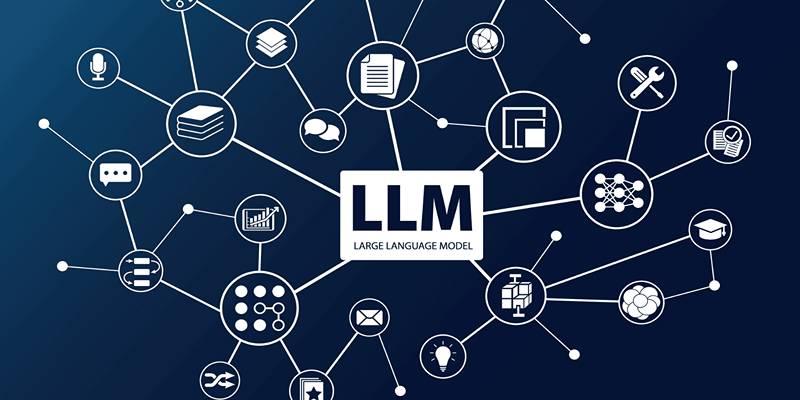
Before diving into code, it's important to understand the basic structure of any LLM application built with LCEL. Here are the core building blocks:
By separating these concerns, your app stays simple, testable, and scalable—perfect for both prototyping and production.
This post will walk through the whole process:
Start by installing the libraries that will power your app.
pip install langchain langchain-openai fastapi uvicorn langserve[all]
Make sure you have an OpenAI account and API key ready.
Instead of using raw prompts, we’re going to securely set up our environment and create a reusable LLM instance.
import os
from langchain_openai import ChatOpenAI
# Securely store your API key
os.environ["OPENAI_API_KEY"] = "your_openai_key_here"
# Initialize the language model (GPT-4 or GPT-3.5)
llm = ChatOpenAI(model="gpt-4")
To make the app flexible, we'll use a dynamic prompt template.
from langchain_core.prompts import ChatPromptTemplate
prompt_template = ChatPromptTemplate.from_messages([
("system", "You're a translator. Convert the user's input from English to Japanese."),
("user", "{input_text}")
])
This template allows you to easily swap out the English input without modifying the structure.
Language models return more than just plain strings. Let’s focus only on the core translation using a parser:
from langchain_core.output_parsers import StrOutputParser
parser = StrOutputParser()
It ensures that any formatting or metadata is stripped out—giving you just the clean result.
LCEL makes the chaining of these components both elegant and readable:
# Compose the complete workflow using LCEL
translation_chain = prompt_template | llm | parser
# Test the chain with a sample input
output = translation_chain.invoke({"input_text": "Good morning! Have a great day."})
print("Japanese Translation:", output)
This pipeline is composable, reusable, and easy to scale. You can plug in additional steps like validation or logging without breaking the flow.
LangSmith helps you trace your chain step-by-step. Here’s how to enable it:
import getpass
os.environ["LANGCHAIN_TRACING_V2"] = "true"
os.environ["LANGCHAIN_API_KEY"] = getpass.getpass("Enter LangSmith API key: ")
Now, every step of your LCEL workflow is logged and visualized through LangSmith’s interface.
You’ve got a working app—but what if you want others to use it? Let’s deploy it as a REST API.
Create a file named translator_api.py:
from fastapi import FastAPI
from langchain_openai import ChatOpenAI
from langchain_core.output_parsers import StrOutputParser
from langserve import add_routes
import os
# Load your API key
os.environ["OPENAI_API_KEY"] = "your_openai_key_here"
# Set up LangChain components
llm = ChatOpenAI()
parser = StrOutputParser()
prompt = ChatPromptTemplate.from_messages([
("system", "Translate the following English text into Japanese."),
("user", "{input_text}")
])
# Compose the translation chain
translation_chain = prompt | llm | parser
# Set up FastAPI with LangServe
app = FastAPI(title="English to Japanese Translator", version="1.0")
add_routes(app, translation_chain, path="/translate")
if __name__ == "__main__":
import uvicorn
uvicorn.run(app, host="0.0.0.0", port=8000)
Now launch your app:
python translator_api.py
Navigate to http://localhost:8000/translate/playground to test your app using LangServe’s visual playground.
Once deployed, you can interact with it from another app or script:
from langserve import RemoteRunnable
# Connect to your locally running API
api = RemoteRunnable("http://localhost:8000/translate/")
result = api.invoke({"input_text": "How are you today?"})
print("API Result:", result)
It makes it easy to plug your translator into larger systems like chatbots, CRMs, or mobile apps.
Building a simple LLM application with LCEL opens up exciting possibilities for creating intelligent, language-aware tools with minimal complexity. By chaining together prompts, models, and parsers, developers can design clean, modular workflows that are both powerful and easy to maintain. This post walked you through creating an English-to-Japanese translator, but the same principles apply to countless other applications. With LangChain and LCEL, you can scale your ideas from a simple script to a fully deployed API in no time.

Discover these 7 AI powered grammar checkers that can help you avoid unnecessary mistakes in your writing.

Master the Alation Agentic Platform with the API Agent SDK capabilities, knowing the advantages and projected impact.

Discover how hospital IoT, wearable health trackers, and AI‑powered patient monitoring improve healthcare services today
Every aspect of OpenAI's GPT-4.5, which presents better conversational performance alongside improved emotional awareness abilities and enhanced programming support and content creation features

Discover how OpenAI’s o1-preview and o1-mini models advance reasoning, efficiency, and safety on the path to AGI.

Want to run AI without the cloud? Learn how to run LLM models locally with Ollama—an easy, fast, and private solution for deploying language models directly on your machine

How search algorithms in AI—like BFS, DFS, and A*—solve real-world problems with smart, structured logic. Simple, practical, and human-written insights

Build a simple LLM translation app using LangChain, LCEL, and GPT-4 with step-by-step guidance and API deployment.
JFrog launches JFrog ML through the combination of Hugging Face and Nvidia, creating a revolutionary MLOps platform for unifying AI development with DevSecOps practices to secure and scale machine learning delivery.

Drive more traffic with ChatGPT's backend keyword strategies by uncovering long-tail opportunities, enhancing content structure, and boosting search intent alignment for sustainable organic growth

YouTube channels to learn SQL, The Net Ninja, The SQL Guy

Explore how Meta AI on WhatsApp is revolutionizing mobile use with smart chats, planning, creativity, and translation.