Tired of sounding like a confused robot in your emails? Or worse… that person who mixes up “your” and “you’re,” “its” and “it’s,” and tons of other words? Well, let’s end your suffering now!
Grammar tools are no longer just red underlines in Word—now they're full-blown AI assistants that rewrite, reword, and even detect tone like “digital English teachers.”
Whether you’re writing for work, school, social media, or just trying not to embarrass yourself in Slack… AI grammar checkers can really help. In this article, we’ll go over the seven best grammar checkers that you need to try in 2025.
Grammarly always knows the right thing to say (and how to say it). It doesn’t just fix typos—it suggests better ways to phrase stuff, rewrites clunky sentences, and even tells you when you're sounding a little too… aggressive (or worse, passive-aggressive).
Got a last-minute email, blog, or essay? Grammarly’s real-time checks have your back, fixing grammar, punctuation, spelling, and even tone. It works almost everywhere—browser, apps, email, you name it. And now with AI rewrites? You can turn “meh” into “damn, who wrote this?” in two clicks.
Who is it for? Great for students, remote workers, and literally anyone who types anything. Basically, if you write, you need this in your corner.
ProWritingAid isn’t here to play—it’s here to dissect your writing like a literary surgeon.
While Grammarly catches the basics, ProWritingAid goes full professor mode, analyzing sentence structure, overused phrases, rhythm, readability… and even clichés (yup, it’ll call you out). It feels less like a grammar checker and more like a full-on editorial assistant.
The best part? It doesn’t just fix—it teaches. With detailed reports, it helps you actually become a better writer (not just look like one online).
Bonus: it plays nice with Google Docs, MS Word, Scrivener, and your browser. So if you’re a novelist, content marketer, or just a hardcore grammar geek—this one’s your playground.
If your writing tends to sound like a paragraph inside a paragraph inside another paragraph (…we’ve all been there), Hemingway will straighten you out. It's all about making your words punchier and easier to read.

This tool highlights long, complex sentences, passive voice, and adverb overload like it's allergic to fluff. And honestly? It kind of is. Hemingway wants you to write like… well, Hemingway. Clean. Direct. Bold.
Whether you’re a blogger, marketer, or someone writing an email that shouldn’t sound like a legal contract, this app will help you trim the fat. Simple to use, color-coded, and gloriously anti-bloat—it’s the editor you didn’t know you needed.
Quillbot is like that one friend who always knows how to say the same thing but in a much cooler way. It’s known as “the paraphraser app” because of its well-known paraphrasing tool in the writing community.
It’s not just a grammar checker—it’s a full-blown rewriter. Its built-in paraphrasing tool can flip a sentence on its head and still keep your meaning intact. Great for when you’re stuck, repeating the same phrase over and over (it happens).
Plus, you get grammar fixes, tone adjustments, fluency upgrades, and multiple rewording styles. Wanna sound formal? Chill? Academic? Quillbot’s got a mode for that.
Who is it for? It’s especially handy for ESL learners, students cranking out papers, and writers looking to freshen things up without reinventing the whole sentence.
Ever wished your grammar checker could handle more than just English? LanguageTool heard you loud and clear—this one’s fluent in over 25 languages (and probably still better at English than half of us).
It checks spelling, grammar, and style across platforms like Google Docs, browsers, and even desktop apps. It’s especially clutch for multilingual users, international teams, or anyone who switches between languages faster than their playlists.
Plus, it’s got sleek AI suggestions and easy explanations that don’t sound like a dictionary. Clean, clear, and not just for the English majors. Bonus: it’s open-source and privacy-focused, so your data isn’t being passed around like office gossip.
Let’s be real—sometimes you just want a grammar checker that works right now without making you log in, sign up, or “start your free trial.” That’s where Slick Write comes in.
It’s fast, free, and browser-based—no fluff, no ads, no drama. It scans your text for grammar hiccups, passive voice, wordy stuff, and more. You even get graphs and stats if you’re feeling extra. Think of it as the pocket-sized grammar sidekick you didn’t know you needed.
Ideal for: Perfect for students on a deadline, writers who hate distractions, or anyone who just wants a clean, no-nonsense edit without downloading a single thing.
If Grammarly and Notion had a productivity baby, it’d be Writer. It’s a 2-in-1 type of tool. This one’s designed for businesses, marketing teams, and startups that care about how they sound (and not accidentally using “LOL” in a press release). It checks grammar, sure—but also keeps your team’s voice consistent across blogs, emails, docs, and more. You can even set brand guidelines, define terminology, and let AI do the heavy lifting so nobody goes rogue with tone. So if your team’s juggling deadlines, remote Zoom life, and way too many Slack threads—Writer helps make sure everyone still sounds like... well, your brand.

Here’s the deal—grammar tools are amazing. They catch embarrassing stuff, save you time, and make your writing look way smarter than it felt when you typed it. But they’re not magic mind-readers. You still gotta think (we know, tragic). Pick a tool that vibes with you—whether you’re a minimalist, a multitasker, or a multilingual superstar. Some tools are light and breezy, others are loaded with features. Either way, your words deserve the glow-up. So edit smart, write loud, and remember: it’s “your” writing, not “you’re” writing. (We triple-checked that for you. You’re welcome.)
JFrog launches JFrog ML through the combination of Hugging Face and Nvidia, creating a revolutionary MLOps platform for unifying AI development with DevSecOps practices to secure and scale machine learning delivery.

Explore the most popular AI programming languages used in artificial intelligence projects. Learn why Python, R, and Julia are leading choices for developers worldwide

Build a simple LLM translation app using LangChain, LCEL, and GPT-4 with step-by-step guidance and API deployment.
Every aspect of OpenAI's GPT-4.5, which presents better conversational performance alongside improved emotional awareness abilities and enhanced programming support and content creation features

Unlock the potential of AI for market analysis to understand customer needs, predict future trends, and drive smarter business decisions with accurate consumer behavior prediction

AI and the Metaverse are shaping the future of online communication by making virtual interactions smarter, more personal, and highly engaging across digital spaces

AI in Supply Chain Optimization helps businesses improve efficiency, reduce costs, and manage risks with smart technology and real-time solutions

How AI APIs from Google Cloud AI, IBM Watson, and OpenAI are helping businesses build smart applications, automate tasks, and improve customer experiences

Master how to use DALL-E 3 API for image generation with this detailed guide. Learn how to set up, prompt, and integrate OpenAI’s DALL-E 3 into your creative projects

Learn to excel at prompt engineering through 12 valuable practises and proven tips
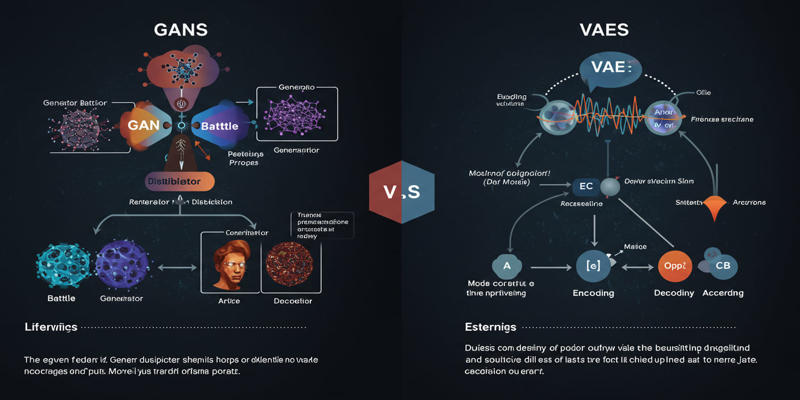
Study the key distinctions that exist between GANs and VAEs, which represent two main generative AI models.
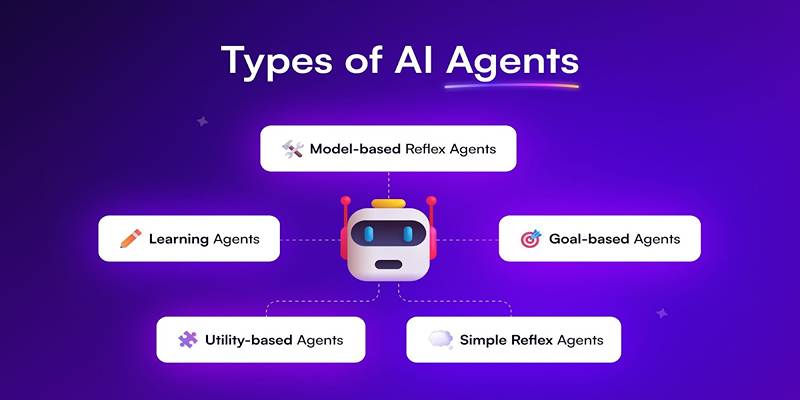
Learn about the main types of AI agents in 2025 and how they enable smart, autonomous decision-making systems.