When it comes to exploratory data analysis (EDA), the Pandas describe() function has long been the go-to tool for quick numerical summaries in Python. It's fast, it's familiar, and it's part of the core Pandas toolkit. But here’s the thing—describe() has its limitations. It tends to play favorites with numeric data, leaving non-numeric columns with minimal information and requiring extra steps for anything beyond the basics.
That’s where Skimpy steps in—a modern, intelligent, and visually enriched alternative to describe() that caters to all data types, not just numbers. Whether you’re wrangling text, dealing with categorical variables, or spotting missing data, Skimpy has your back with a comprehensive snapshot that’s clean, insightful, and presentation-ready. This post will explore why Skimpy is becoming a must-have in the EDA toolbox, how to get started with it, and what makes it a game-changer over describe(). Let’s dive in.
The describe() function in Pandas provides metrics like mean, standard deviation, and percentiles—but only for numeric columns by default. You have to pass extra arguments to include other data types, and even then, the summary is very minimal.
Let’s illustrate:
import pandas as pd
records = {
"Employee": ["Anna", "Ben", "Cara", "Dan"],
"Age": [29, 34, 28, 41],
"Location": ["Miami", "Seattle", "Austin", "Denver"],
"Income": [62000, 75000, 69000, 81000]
}
df = pd.DataFrame(records)
print(df.describe())
The output will only summarize Age and Income, excluding string columns like Employee and Location.
If we explicitly include all data types:
print(df.describe(include='all'))
You’ll notice the non-numeric columns provide only basic statistics—such as unique value count, most frequent entry, and its frequency. No insight into string lengths, missing data, or distribution patterns.
Skimpy is a Python library purpose-built to simplify and enrich the process of data summarization. With a single function—skim()—it provides a rich, unified overview of your dataset, combining numeric, categorical, and text column summaries into a single, easy-to-read output.
Let’s start by installing it.

pip install skimpy
Once installed, you can verify it by importing:
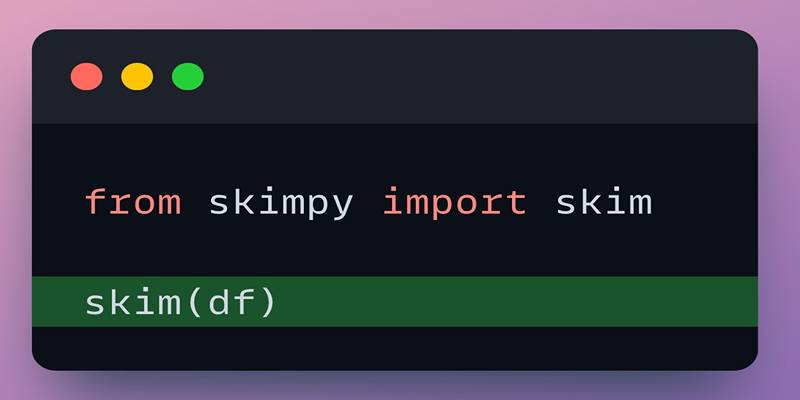
from skimpy import skim
print("Skimpy is ready to roll!")
Skimpy isn't just about making your data look prettier—it offers real, tangible improvements over describe() in several key areas.
Unlike describe(), which prioritizes numerical data, Skimpy treats all columns with equal attention. Whether it’s numbers, strings, or categorical variables, everything is summarized in one cohesive table.
from skimpy import skim
import pandas as pd
dataset = {
"FullName": ["Anna", "Ben", "Cara", "Dan"],
"Age": [29, 34, 28, 41],
"City": ["Miami", "Seattle", "Austin", "Denver"],
"Income": [62000, 75000, 69000, 81000],
"Rating": [4.2, None, 4.7, 4.9]
}
df = pd.DataFrame(dataset)
skim(df)
This command will instantly give you a table showing everything from missing data to text lengths and mode counts.
Skimpy highlights missing data without any extra commands. For instance, in the Rating column above, the missing value is automatically quantified both as a count and a percentage.
It saves you from having to write additional lines like:
df.isna().sum()
In addition to the usual suspects (mean, median, min, max), Skimpy also includes kurtosis and skewness for numeric columns. These advanced metrics help you understand the shape and spread of your data distributions—vital when choosing models or deciding whether normalization is needed. Outliers? Skimpy doesn’t miss a beat. It flags unusual values based on distribution statistics, giving you the heads-up before problems arise downstream.
It is where Skimpy really shines. Text columns get a detailed breakdown that includes:
For example:
Column | Unique Values | Most Frequent | Mode Count | Avg Length |
|---|---|---|---|---|
Name | 4 | Alice | 1 | 5.25 |
City | 4 | New York | 1 | 7.50 |
It helps when preparing text for NLP, ensuring consistent formats or spotting anomalies like overly short or long entries.
Skimpy uses color-coded tables and clean formatting, which makes summaries much easier to digest—especially for large datasets. Whether you're presenting results to stakeholders or conducting solo analysis, these visuals reduce cognitive load and improve storytelling.
Working with demographics or survey data? Skimpy handles categorical data beautifully, showing you category distributions, mode values, and frequency proportions—all without any extra work on your part. This level of detail is critical for understanding class imbalance, designing better visualizations, or selecting encoding strategies for modeling.
import pandas as pd
from skimpy import skim
sample_data = {
"Customer": ["Ella", "Leo", "Nina", "Sam"],
"Age": [23, 31, 27, 36],
"Location": ["Boston", "Chicago", "Phoenix", "Dallas"],
"Spend": [500, 620, 570, 690],
"Feedback": [4.6, None, 4.9, 5.0],
}
df = pd.DataFrame(sample_data)
skim(df)
Done. That’s it. You now have a full, professional-grade summary of your data.

Want to focus only on numerical columns?
skim(df[["Age", "Spend"]])
Interested only in missing data?
skim(df)[["Column", "Missing (%)"]]
Skimpy’s output is a tidy DataFrame, so you can slice and dice it just like any other table.
Here’s a quick side-by-side comparison:
Feature | Pandas describe() | Skimpy |
|---|---|---|
Numeric data summary | Yes | Yes |
Non-numeric data summary | Limited | Comprehensive |
Missing data handling | Requires extra code | Built-in support |
Visual presentation | Plain text output | Clean, formatted table |
Text and string analysis | Not supported | Detailed insights |
Advanced stats (e.g., skewness) | Not available | Included |
Unified summary for all columns | No | Yes |
Skimpy is a practical and efficient alternative to Pandas’ describe() function, especially for users who want deeper insights at a glance. It handles all column types, displays missing values, and even includes mini histograms for quick visual analysis. Unlike Pandas, it doesn’t restrict summaries to numerical data, making it ideal for datasets with mixed types. Skimpy’s clean formatting and terminal-friendly output make it perfect for Jupyter notebooks and quick data reviews. While it doesn’t provide advanced statistics or visual plots, it serves its purpose as a fast, readable profiler.

Study the key distinctions that exist between GANs and VAEs, which represent two main generative AI models.

Explore how Meta AI on WhatsApp is revolutionizing mobile use with smart chats, planning, creativity, and translation.

Unlock the potential of AI for market analysis to understand customer needs, predict future trends, and drive smarter business decisions with accurate consumer behavior prediction

Want to run AI without the cloud? Learn how to run LLM models locally with Ollama—an easy, fast, and private solution for deploying language models directly on your machine
Explore Skimpy, a fast and readable tool that outperforms Pandas describe() in summarizing all data types in Python.

How AI’s environmental impact is shaping our world. Learn about the carbon footprint of AI systems, the role of data centers, and how to move toward sustainable AI practices

Master the Alation Agentic Platform with the API Agent SDK capabilities, knowing the advantages and projected impact.

Learn about the main types of AI agents in 2025 and how they enable smart, autonomous decision-making systems.

Discover how autonomous robots can boost enterprise efficiency through logistics, automation, and smart workplace solutions

Discover how hospital IoT, wearable health trackers, and AI‑powered patient monitoring improve healthcare services today

Discover these 7 AI powered grammar checkers that can help you avoid unnecessary mistakes in your writing.

How AI APIs from Google Cloud AI, IBM Watson, and OpenAI are helping businesses build smart applications, automate tasks, and improve customer experiences